
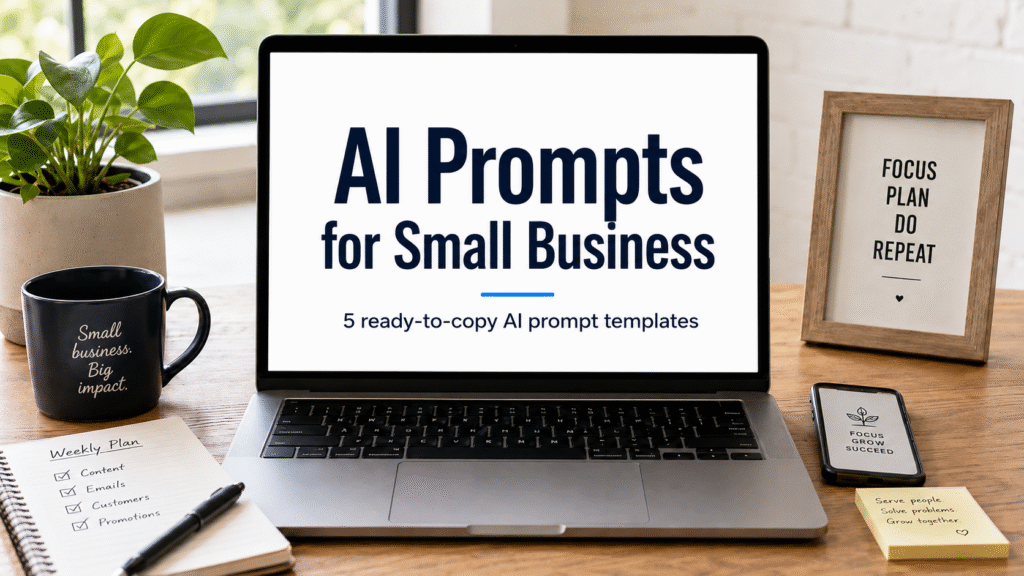
Yesterday I shared how I’d been drowning trying to make AI useful in my one-person shop. Today I’m going to show you the five AI prompts for small business that actually move things forward — and where I learned them.
247 Prompts, Zero Results
I have a folder on my desktop called “AI Prompts – DO NOT DELETE.” It has 247 files in it.
I haven’t opened it once in three months.
Every file in there was supposed to change my business. I downloaded them in a panic, mostly at 1 AM, convinced the next one would finally make AI useful. None of them were. The folder just got fatter, and I got more stuck.
You don’t have a prompt problem. You have a system problem.
The Real Bottleneck Was Never the Prompt
Six months ago I was running a one-person shop doing design, e-commerce, and client work. I was drowning. Customer replies took half my day. Writing one Instagram caption took an hour. Every task that should have taken fifteen minutes took an hour because I kept starting from scratch.
I tried every prompt list YouTube threw at me. I bought prompt packs. I saved threads. I copied the “27 prompts that will 10x your business” lists. None of them stuck because none of them were built for a one-person shop that needed to ship work today.
Then something shifted. I stopped looking for better prompts and started looking for better patterns — the small handful of repeatable moves that actually moved the needle week after week. Once I had those patterns, I built a prompt around each one.
That changed everything. I went from spending Sunday nights writing one caption to producing a week of content in fifteen minutes. Inbox time dropped from forty-five minutes a day to ten. Product descriptions went from an hour per listing to ten minutes.
The prompts aren’t magic. They’re the wrapper. The pattern inside them is what works.
Where the Five Prompts Below Came From
The five patterns in this post are not mine. I picked them up from a free community I’ve been learning from over the past few months — a place where the person running it actually uses AI to run a real business, not someone reading from a script about it.
I’ll show you the five prompts first. Then I’ll show you where to get the full library, the training that goes with them, and the rest of the system.
The Five AI Prompts for Small Business (Copy These)
Each prompt has a stacked-context section above it. Fill those slots in with your real details before you run it — that’s what makes the output sound like you instead of sounding like AI.
Prompt 1: The Weekly Content Batch
Fill in first:
- Your business in one sentence
- Your customer avatar (who they are, what they struggle with)
- Your voice style (casual, blunt, professional, funny, etc.)
- 3-5 content topics for this week
- 2-3 overused words you never want to see in your posts
The prompt:
“You are a content writer who knows my business inside out. My business is [YOUR BUSINESS]. My customer is [YOUR AVATAR]. My voice is [YOUR VOICE STYLE]. This week I want to cover [TOPIC 1], [TOPIC 2], [TOPIC 3], and [TOPIC 4]. Write 5 social media posts (one per topic, plus one bonus) for [PLATFORM]. Each post under 150 words, opens with a hook, ends with a question or call to action. Avoid these words: [WORD 1], [WORD 2], [WORD 3].”
Why it works: Stacked context forces the AI to write in your voice. The “avoid these words” filter kills the worst AI tells — “delve,” “in today’s world,” “unleash,” and friends. One run, full week of content.
Prompt 2: The Customer Reply Drafter
Fill in first:
- Your business and what you sell
- 3-5 customer questions you got this week
- Your reply tone (warm, direct, casual, professional)
The prompt:
“I’m a small business owner running [YOUR BUSINESS]. Customers commonly ask me [QUESTION 1], [QUESTION 2], [QUESTION 3], and [QUESTION 4]. I want to reply in a [YOUR TONE] way. Draft a response for each one I can edit and send. Keep each reply under 80 words, lead with empathy, then give the answer, then offer a next step. Questions: [PASTE THE ACTUAL QUESTIONS YOU GOT THIS WEEK].”
Why it works: You feed it the actual questions, not hypothetical ones. The output is editable in seconds because it’s already 80% there. Stack five to ten questions in one run and clear your inbox in a single sitting.
Prompt 3: The Product Description Generator
Fill in first:
- The product (what it is, who it’s for)
- Your brand voice
- 3-5 features of the product
- The feeling or identity the customer gets from buying it
The prompt:
“Write a product description for [YOUR PRODUCT]. Target customer: [WHO BUYS IT]. Tone: [YOUR BRAND VOICE]. Features: [LIST 3-5 BULLETS]. The customer should feel [EMOTION OR IDENTITY] when they buy this. Structure: (1) one-sentence hook under 15 words, (2) 3-4 benefit bullets — what it does FOR them, not what it does, (3) one paragraph on who it’s for, (4) one short call to action. Avoid these words: [LIST OVERUSED PHRASES].”
Why it works: “Benefit not feature” is the trick. AI defaults to specs. Telling it to focus on benefits changes everything. The “avoid these words” filter keeps it from sounding like every other listing in your niche.
Prompt 4: The Stuck-On-A-Project Unsticker
Fill in first:
- The project or problem
- What you’ve already tried
- Your real constraints (time, money, skills)
- What “good” looks like for this project
The prompt:
“I’m stuck on a problem in my [TYPE OF BUSINESS]. Here’s the situation: [DESCRIBE THE PROBLEM]. I’ve already tried [LIST WHAT YOU TRIED]. My constraints are [LIMITATION 1], [LIMITATION 2], [LIMITATION 3]. A good outcome looks like [WHAT YOU WANT]. Give me 3 different ways to approach this, ranked from least risky to most risky. For each approach, list the first concrete step I’d take in the next 24 hours. Be direct. Don’t hedge. If I’m overthinking this, tell me.”
Why it works: “Be direct, don’t hedge, if I’m overthinking this, tell me” is the unlock. AI defaults to wishy-washy both-sides answers. Telling it to call you out forces an actual opinion. The “first step in 24 hours” turns every recommendation into something you can do today.
Prompt 5: The End-of-Week Review
Fill in first:
- 5-7 bullets of what you actually did this week
- 2-3 goals you had
- 2-3 wins
- 2-3 misses
- One honest sentence on how the week felt
The prompt:
“You are a business coach who runs a one-person shop. Here’s my week: [LIST 5-7 BULLETS OF WHAT YOU DID]. Goals I had: [LIST 2-3 GOALS]. Wins: [LIST 2-3 WINS]. Misses: [LIST 2-3 THINGS THAT DIDN’T HAPPEN]. Honest gut check: [ONE SENTENCE ON HOW THE WEEK FELT]. Review my week. Tell me: (1) what I should keep doing, (2) what I should stop doing, (3) what I’m avoiding that I shouldn’t be, (4) the one thing I should focus on next week. Be honest, not nice.”
Why it works: You already know what you did. You don’t know what it means. AI is great at pattern recognition on your own data. The “be honest, not nice” instruction stops it from cheerleading. The “what am I avoiding” question catches the things you won’t admit to yourself.
Where the Thinking Came From
The five patterns above are a taste. The full library, the training that teaches you how to think about AI as a system, and a community of people running real businesses with it all live in a free Skool community I joined a few months ago.
The person who runs it actually uses AI in their own business every day — not someone reading from a script, not someone who researched it. They built the system, and they open the doors to it for free. Inside, you get:
- 4 free training videos walking through the system
- The full prompt library (with the ones above plus dozens more)
- A community of business owners running the prompts in real businesses
- Direct access to the person who built it for questions when you get stuck
No credit card. No “free trial that converts in 14 days.” No bait and switch.
If you want the full system behind these patterns, that’s where to get them. If you end up buying the full program from inside the community, I make a commission at no extra cost to you — but the free community alone has more than enough to keep you busy for months.
→ [Click here to join the free community]
What I’d Skip If I Were You
A few things to ignore when you’re starting out:
- Don’t pay for prompt packs. The five above will do 90% of what you need.
- Don’t try to “master” prompting before you start using it. You’ll learn more from running these on real work than from any course.
- Don’t use AI output without editing it. The 10% you add is what makes it yours.
- Don’t run more than 3-4 of these a week at first. Stack them as you get comfortable.
Pick one prompt. Run it on a real task this week. See what comes back. Then add another.
Quick FAQ
Do these work for any business?
Yes. The structure is the same — the stacked context changes. Fill in the slots with your real business details and the output adapts.
How long until I get good output?
First run is usually 70% there. After 2-3 weeks of editing and feeding back what worked, you’ll hit 90%+. It’s a skill that compounds.
What if the AI output still sounds like AI?
Use the “avoid these words” filter. Common AI tells to blacklist: “delve,” “in today’s world,” “unleash,” “elevate,” “navigate the landscape,” “harness the power.” Add whatever words you personally hate.
Can I share these prompts with my team?
Yes, the prompts themselves. The output is yours. If you have a VA, hand them Prompt 1 and Prompt 2 and let them run them for you.
What’s the catch with the free community?
There isn’t one. It’s free. Some people in it buy the full program, most don’t. Either way, the training, prompts, and community are accessible.
Affiliate disclosure: This post contains affiliate links. If you purchase through the link above, I may earn a commission at no extra cost to you. I only recommend things I actually use myself.